


Eventus
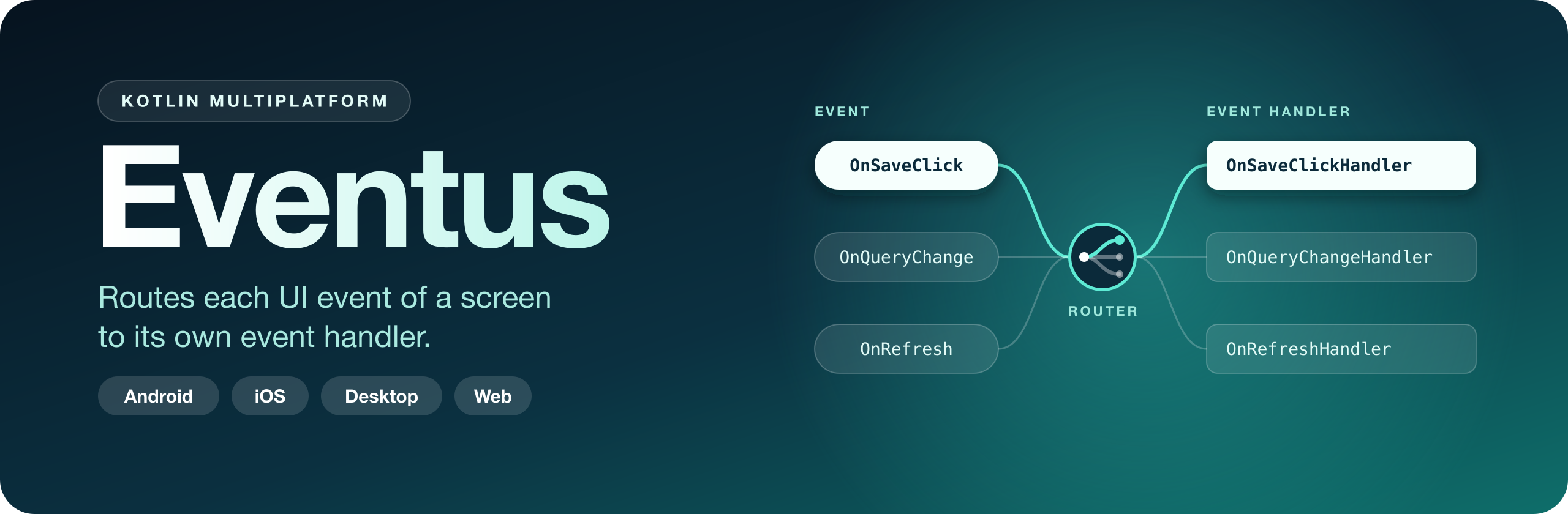
An event router for Model-View-ViewModel (MVVM) screens on Kotlin Multiplatform. The user interface (UI) sends events, each event goes to its own small event handler class, and the screen's state and one-time effects come back as flows. It runs on Android, iOS, Desktop and Web from common code.
| Feature | What you get | |
|---|---|---|
| 🧩 | One event, one handler | Each event has its own small class and its own test. |
| 🚦 | Dispatch strategies | Run at once, latest only, in order, or ignore a repeat. |
| 🗂️ | Across events and per item | A strategy can cover several events, or each item of a list. |
| 🪶 | No base class | Your view model delegates to a router. |
| 🎯 | One state, one-time effects | State is one immutable value. Each effect arrives once. |
| 💉 | Nothing to wire wrong | Handlers get the state from the router. |
| 🛟 | Failures in one place | A handler that fails does not stop the screen. |
| ⚡ | Optimistic updates | Show the result at once. Put it back if the work fails. |
| 🔍 | A log in one line | See what ran, what was ignored and what was replaced. |
| 🔄 | Survives a rotation | Lives as long as your view model. Effects wait for the screen. |
| 📦 | Two small dependencies | kotlinx.coroutines and atomicfu. No Compose, no lifecycle. |
| 🧵 | Thread-safe | Send events from any thread. |
| 🧰 | Optional extras | A build-time check, generated Koin or Metro wiring, Compose helpers. |
Before you begin
- Kotlin 2.4.21 or newer. The library is built with that version and does not support older compilers.
kotlinx-coroutines1.11.0 or newer, which the library brings in by itself.- Targets:
android(minSdk 24),jvm,iosArm64,iosSimulatorArm64,iosX64,js,wasmJs. - The examples use the multiplatform
androidx.lifecycleViewModeland Compose, because that is how most apps use the library. Neither is required. - Working with an AI agent? Give it the guide for AI agents. It is one file with everything an agent needs to write correct Eventus code: the API, the rules, a complete screen, the error messages with their fixes, and skills it can save.
Installing
// build.gradle.kts of the module that holds your screens
kotlin {
    sourceSets {
        commonMain.dependencies {
            implementation("io.github.mradzinski:eventus:1.0.0-rc02")
        }
    }
}
The library needs nothing else. The steps below are optional, and the first one is recommended.
Recommended: adding the build-time check
eventus-ksp is a Kotlin Symbol Processing (KSP)
processor. With it, an event that has no handler fails the build; without it, that event throws at
runtime if sent. It runs while your app is built and is never part of the app.
Add the KSP plugin, 2.3.12 or newer, and the processor once for every target of the module:
// build.gradle.kts of the module that holds your screens
plugins {
    id("com.google.devtools.ksp") version "2.3.14"
}

dependencies {
    add("kspAndroid", "io.github.mradzinski:eventus-ksp:1.0.0-rc02")
    add("kspJvm", "io.github.mradzinski:eventus-ksp:1.0.0-rc02")
    add("kspIosArm64", "io.github.mradzinski:eventus-ksp:1.0.0-rc02")
    add("kspIosSimulatorArm64", "io.github.mradzinski:eventus-ksp:1.0.0-rc02")
}
A configuration is named after its target: ksp and the target's name with a capital first letter. In
a module with a single platform, the one line is ksp("io.github.mradzinski:eventus-ksp:1.0.0-rc02").
Optional: integration with Koin
If you use Koin, eventus-koin lets the processor write the Koin module of your event handlers from
one annotated property. It needs the build-time check above. See Generating the Koin
module.
commonMain.dependencies {
    implementation("io.github.mradzinski:eventus-koin:1.0.0-rc02")
}
Optional: integration with Metro
If you use Metro, eventus-metro lets the processor write the Metro bindings of your event handlers
from one annotation on each screen. It needs the build-time check above. See Generating the Metro
bindings.
commonMain.dependencies {
    implementation("io.github.mradzinski:eventus-metro:1.0.0-rc02")
}
Optional: adding the Compose helpers
eventus-compose adds two helpers for a Compose UI: one that performs a router's effects, and one that
tells the router when the screen is visible. See Using the Compose helpers.
commonMain.dependencies {
    implementation("io.github.mradzinski:eventus-compose:1.0.0-rc02")
}
Quick start
The example is a counter with a save button. It uses three things from your own app, which are not
shown: a CounterRepository that saves the count, a FailureReason type with a
Throwable.toFailureReason() function, and a CounterScreen composable that draws the state.
1. Describe the screen. Its state, the events the UI can send and the effects the UI must perform, each as a sealed type or a data class of your own.
import io.github.mradzinski.eventus.UiEffect
import io.github.mradzinski.eventus.UiEvent
import io.github.mradzinski.eventus.UiState

sealed interface CounterEvent : UiEvent {

    data object OnIncrementClick : CounterEvent
    data object OnSaveClick : CounterEvent
}

data class CounterUiState(val count: Int = 0) : UiState

sealed interface CounterEffect : UiEffect {

    data object Saved : CounterEffect
    data class ShowFailure(val reason: FailureReason) : CounterEffect
}
2. Write one event handler for each event. An event handler takes what it really depends on in
its constructor. The screen's state and effects come in with each call, as the store.
import io.github.mradzinski.eventus.DispatchStrategy
import io.github.mradzinski.eventus.EventHandler
import io.github.mradzinski.eventus.ScreenStore

typealias CounterStore = ScreenStore<CounterUiState, CounterEffect>

class OnIncrementClickHandler : EventHandler<CounterEvent.OnIncrementClick, CounterUiState, CounterEffect> {

    override val eventType = CounterEvent.OnIncrementClick::class

    override suspend fun handle(event: CounterEvent.OnIncrementClick, store: CounterStore) {
        store.update { it.copy(count = it.count + 1) }
    }
}

class OnSaveClickHandler(
    private val counters: CounterRepository,
) : EventHandler<CounterEvent.OnSaveClick, CounterUiState, CounterEffect> {

    override val eventType = CounterEvent.OnSaveClick::class

    // A second tap on Save is ignored while a save is running.
    override val strategy = DispatchStrategy.DropIfAlreadyRunning<CounterEvent.OnSaveClick>()

    override suspend fun handle(event: CounterEvent.OnSaveClick, store: CounterStore) {
        counters.save(store.current.count)   // throws when it fails: the screen's ErrorHandler takes it
        store.emit(CounterEffect.Saved)
    }
}
Every event needs exactly one handler. With eventus-ksp the
build tells you when one is missing: add an event to CounterEvent and forget its handler, and the
module no longer compiles.
3. Give the router to the UI through your view model. The view model has no logic. It delegates
state, effects and onEvent to the router.
import androidx.lifecycle.ViewModel
import io.github.mradzinski.eventus.EventHandler
import io.github.mradzinski.eventus.EventRouter
import io.github.mradzinski.eventus.routerScope
import kotlinx.coroutines.CoroutineScope

class CounterViewModel(
    handlers: Collection<EventHandler<*, CounterUiState, CounterEffect>>,
    scope: CoroutineScope = routerScope(),
) : ViewModel(scope),
    EventRouter<CounterEvent, CounterUiState, CounterEffect> by EventRouter(
        scope = scope,
        initialState = CounterUiState(),
        handlers = handlers,
        errorHandler = { _, error, store -> store.emit(CounterEffect.ShowFailure(error.toFailureReason())) },
    )
4. Use the view model from the UI. Draw the state, send events, perform effects.
import androidx.compose.runtime.Composable
import androidx.compose.runtime.LaunchedEffect
import androidx.compose.runtime.getValue
import androidx.lifecycle.Lifecycle
import androidx.lifecycle.compose.LocalLifecycleOwner
import androidx.lifecycle.compose.collectAsStateWithLifecycle
import androidx.lifecycle.repeatOnLifecycle

@Composable
fun CounterRoute(viewModel: CounterViewModel) {
    val state by viewModel.state.collectAsStateWithLifecycle()
    val lifecycleOwner = LocalLifecycleOwner.current

    LaunchedEffect(viewModel, lifecycleOwner) {
        lifecycleOwner.repeatOnLifecycle(Lifecycle.State.STARTED) {
            viewModel.effects.collect { effect ->
                when (effect) {
                    is CounterEffect.Saved -> { /* show a confirmation */ }
                    is CounterEffect.ShowFailure -> { /* show why */ }
                }
            }
        }
    }

    CounterScreen(
        state = state,
        onEvent = viewModel::onEvent,
    )
}
repeatOnLifecycle performs an effect only while the screen is started. An effect emitted while the
app is in the background waits and is performed when the screen comes back. Do not leave it out.
With eventus-compose, the block that collects the effects
becomes one call:
import io.github.mradzinski.eventus.compose.collectEffects

viewModel.collectEffects { effect ->
    when (effect) {
        is CounterEffect.Saved -> { /* show a confirmation */ }
        is CounterEffect.ShowFailure -> { /* show why */ }
    }
}
5. Check that it works. Run the app and send OnIncrementClick from your screen, for example
from a button: the count on screen goes up by one each time. If you added
eventus-ksp, delete OnSaveClickHandler and build
again: the build fails with No handler for CounterEvent.OnSaveClick, with your package before the
name.
Changelog
See the changelog.
License
Eventus is free to use, including in commercial apps, under the Apache License 2.0. The full text is in LICENSE.
If you ship Eventus in an app, credit it. Include the contents of NOTICE, which names the library and links to this repository, wherever your app lists its third-party software: an "open source licenses" screen, an about page or the documentation. The license requires this of anything that redistributes the library (section 4).
Copyright 2026 Matias Radzinski

Licensed under the Apache License, Version 2.0 (the "License");
you may not use this file except in compliance with the License.
You may obtain a copy of the License at

    http://www.apache.org/licenses/LICENSE-2.0

Unless required by applicable law or agreed to in writing, software
distributed under the License is distributed on an "AS IS" BASIS,
WITHOUT WARRANTIES OR CONDITIONS OF ANY KIND, either express or implied.
See the License for the specific language governing permissions and
limitations under the License.